A busy week at work shouldn’t cost you at home.
Or the other way round. Radar puts the deadline, the deal and the customer who’s waiting next to the school pick-up, the renewal and the promise you made at breakfast, so you can see the collision coming and choose, rather than find out afterwards.
Filmed in the sample radar you can open yourself. Sam Ellis and Meridian Systems are invented; what the film does, the product does.
See the clash before you accept
Your work and personal calendars together, a day, a week or a month at a time. The 15:15 pick-up is there when someone proposes a 15:00 call.
One radar, weighed fairly
A home commitment with a real consequence is plotted exactly like a work one. The insurance renewal due in twelve days turns amber just like a stalled deal does.
The personal email that matters
Personal email is labelled Personal, so the insurer who needs documents by Friday isn’t lost among a hundred work threads. Switch to Personal and it’s all that’s left.
Your diary, without the routine
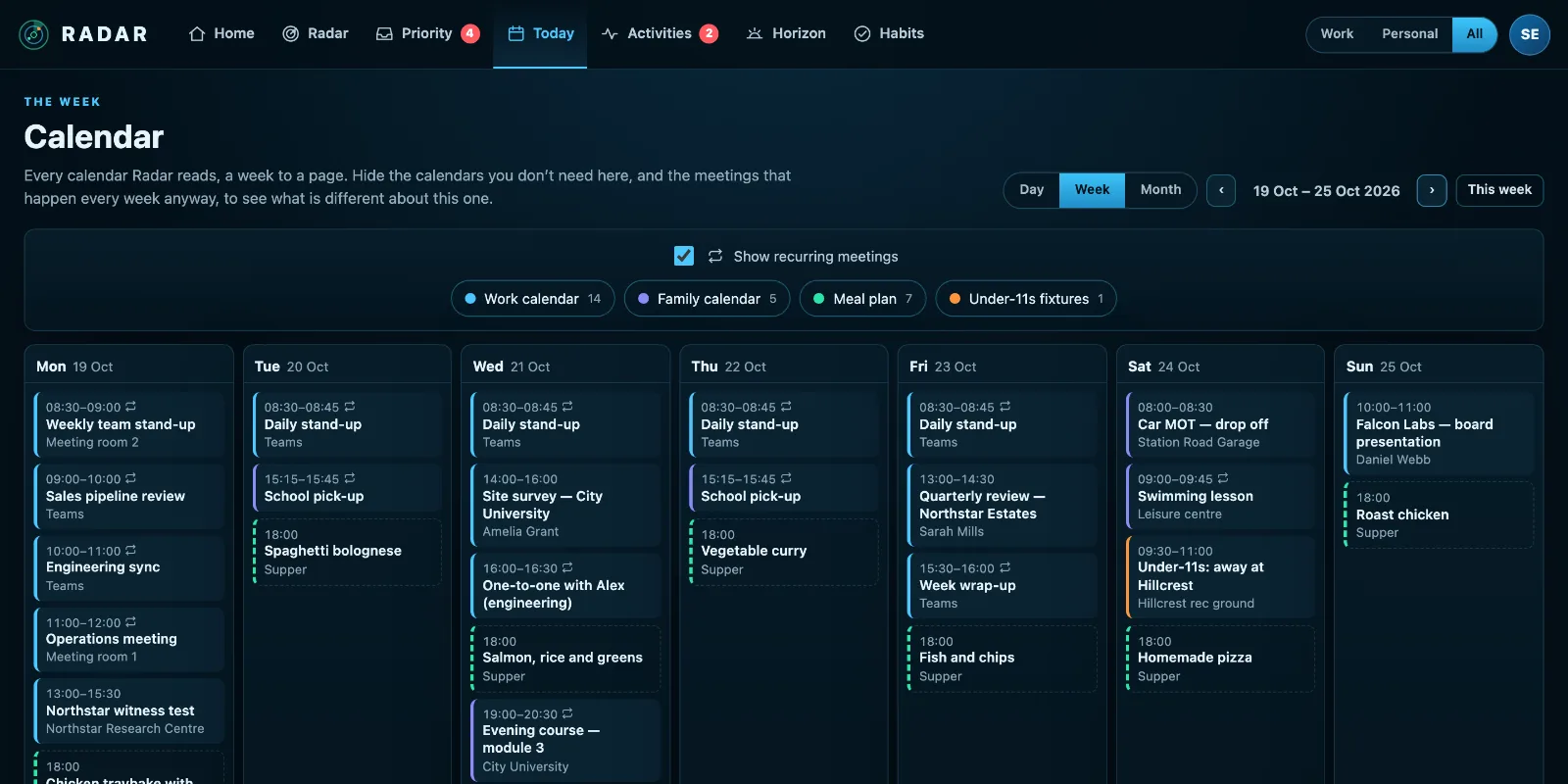
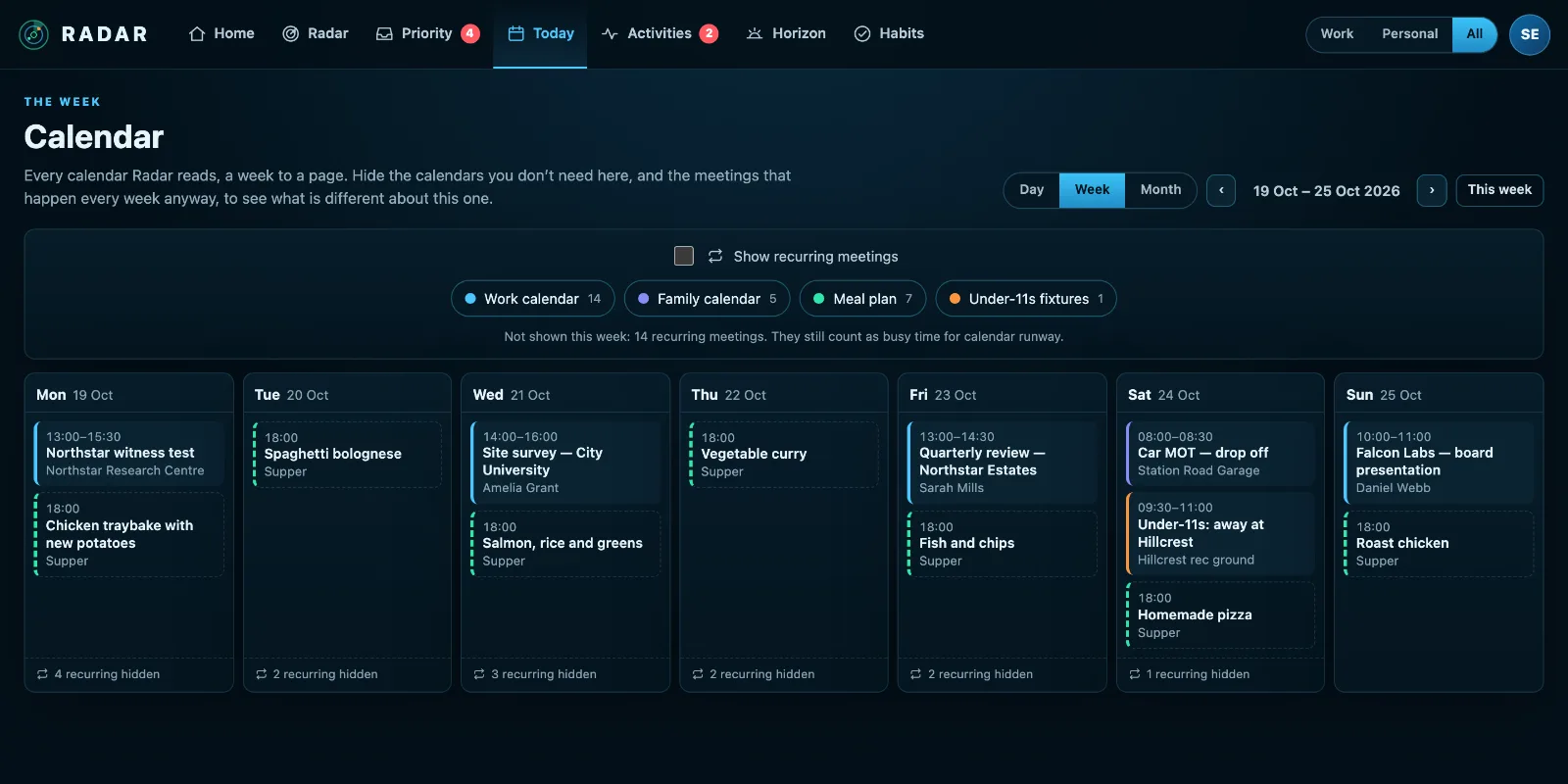
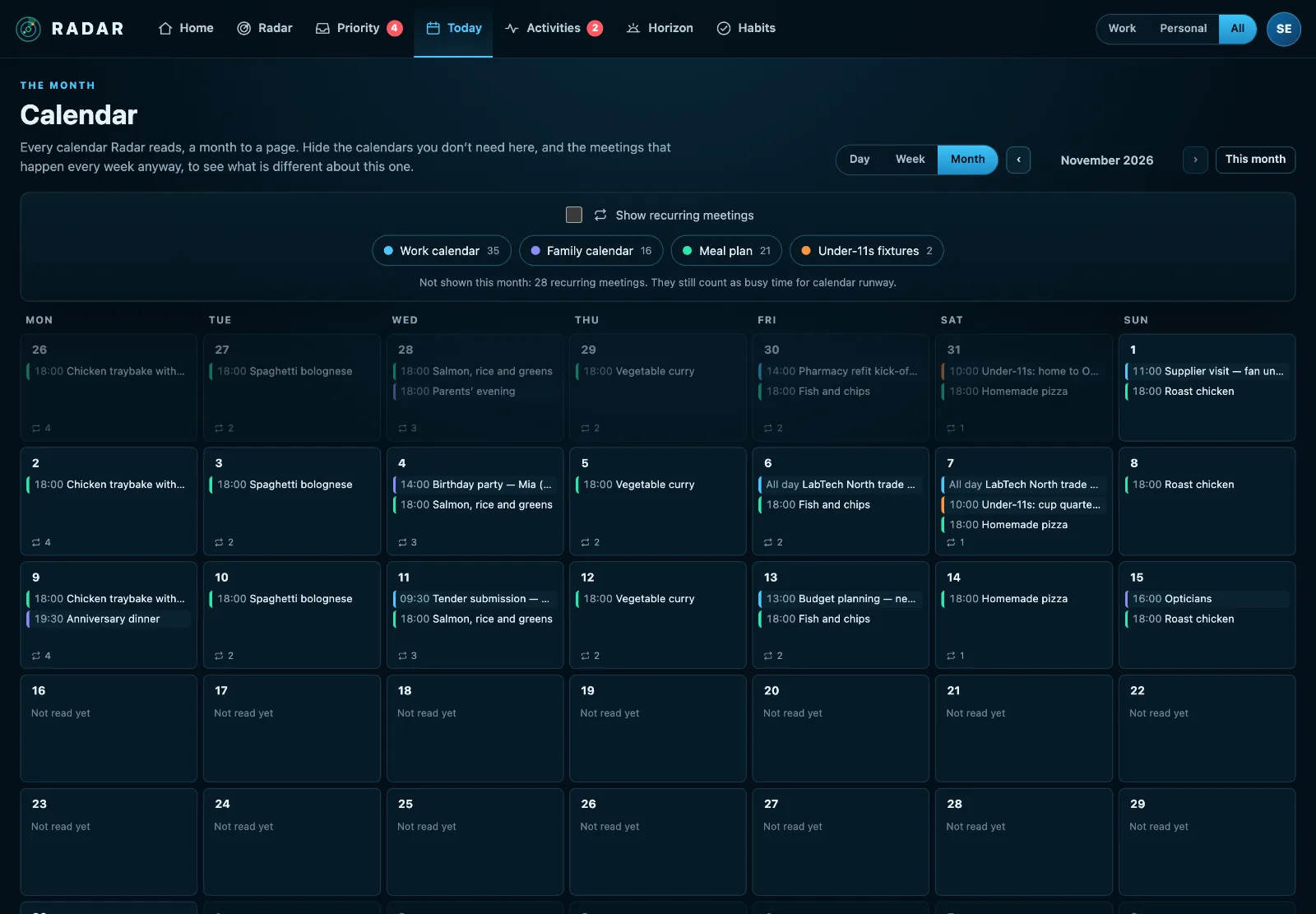
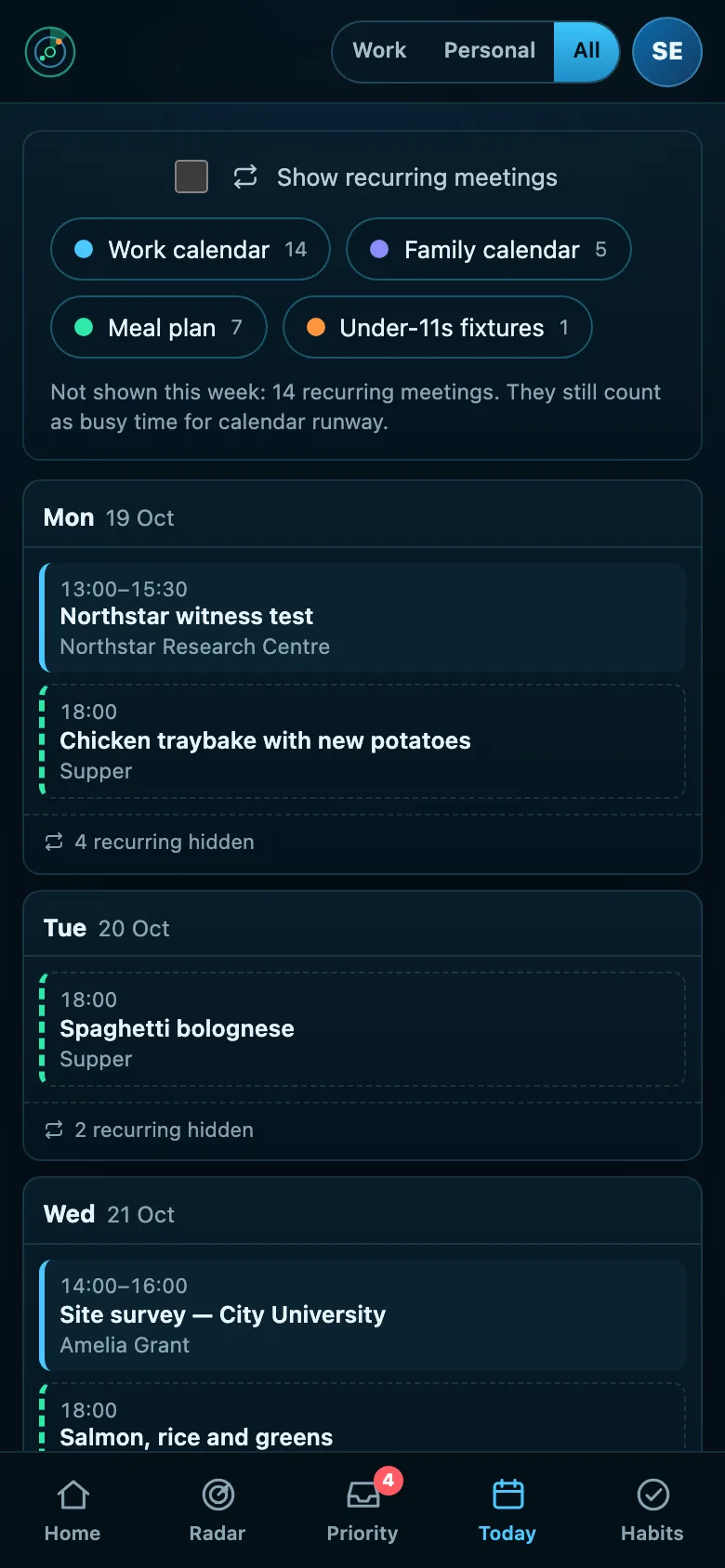
Every calendar you connect, work and home, a week or a month to a page. A Monday of the same four meetings looks full and says nothing new, so hide the meetings that repeat every week, or a calendar you don’t need today, and what’s left is what’s different about this one. Radar still counts the hidden meetings as busy time, and each day says how many it left out.
The school run doesn’t happen at a desk
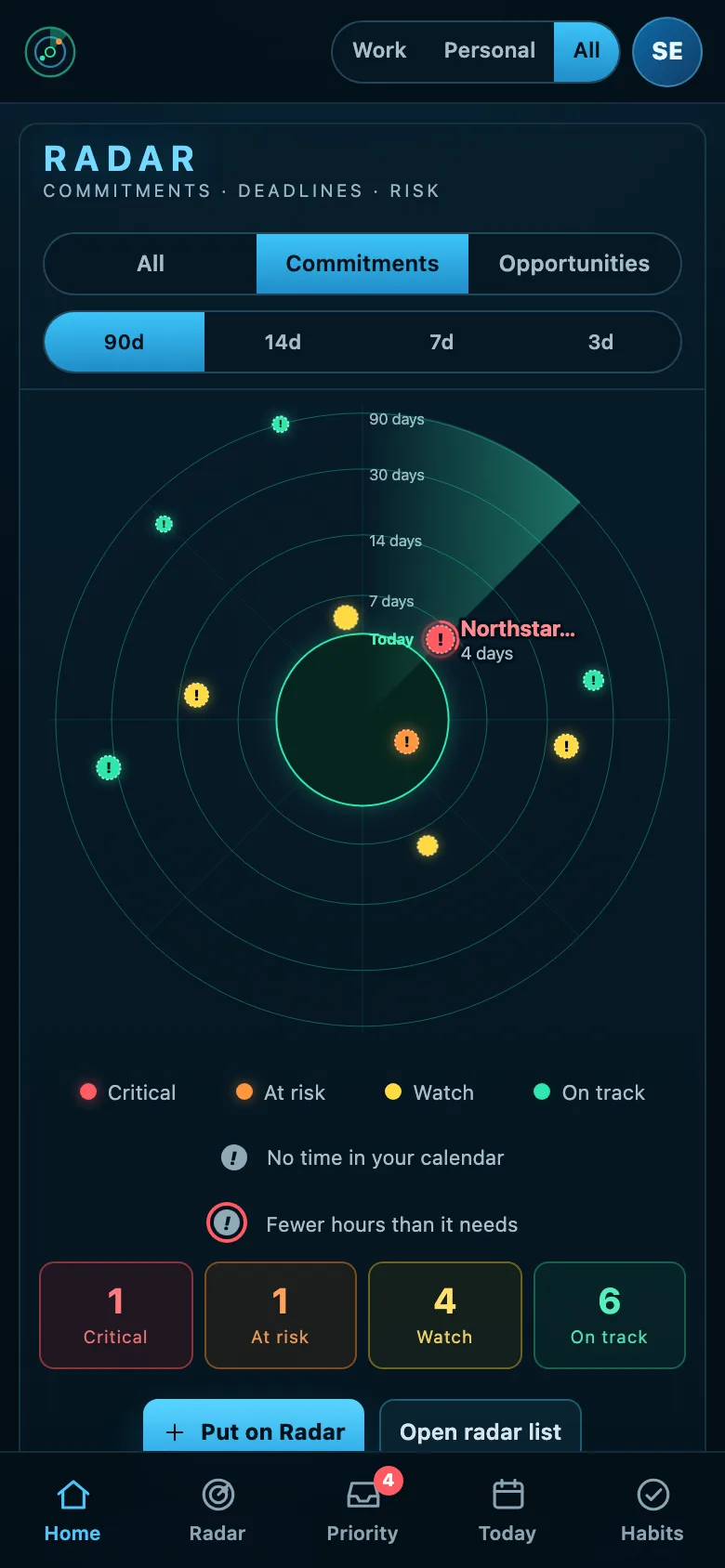
Radar runs in your phone’s browser, and you can add it to your home screen like an app. Check the week on the way out, see the email that needs you before the pick-up, and tick off a habit on the walk home.
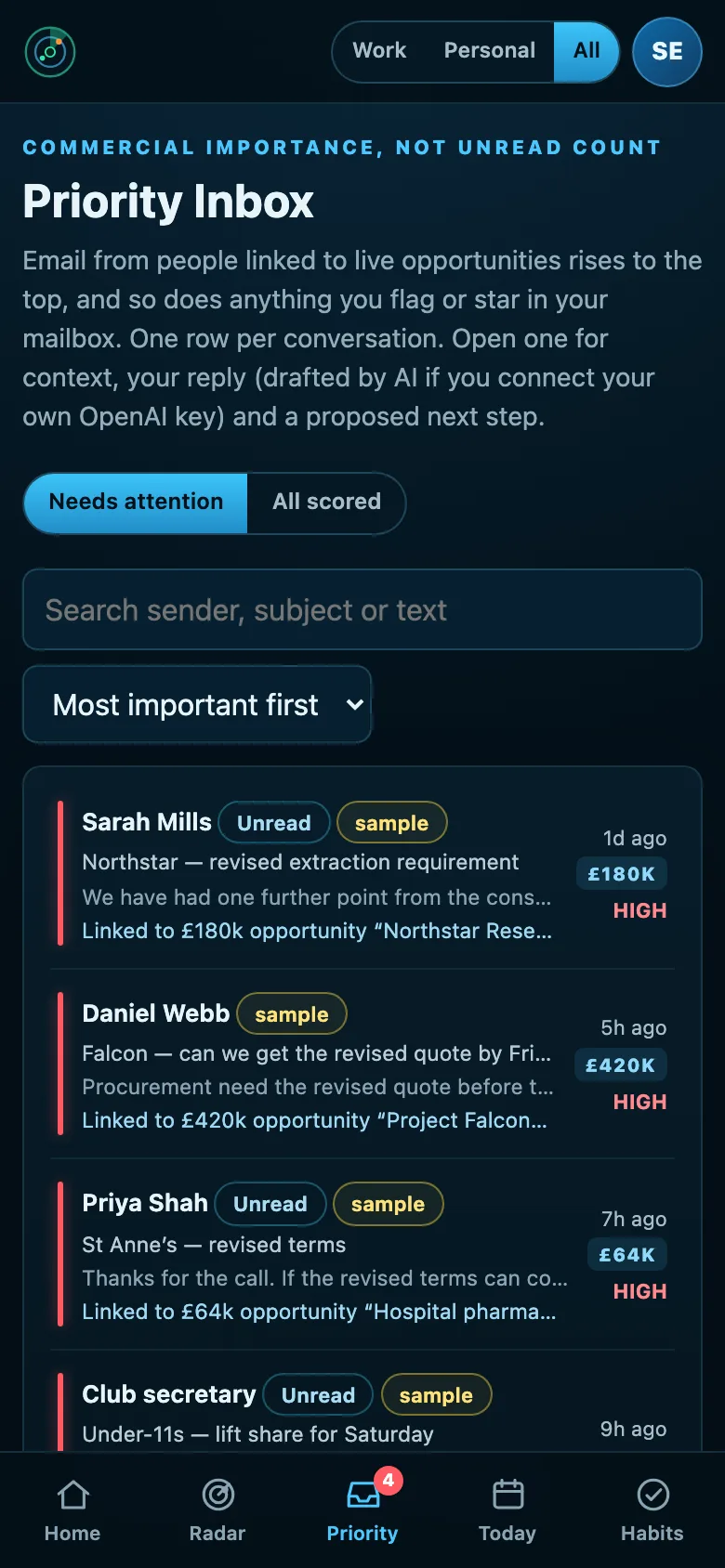
Together by default. Separate when you need it.
One switch shows Work, Personal or both across the radar, tasks, activities, the Priority Inbox, goals, habits and notifications. All, when you’re planning the week. Work, when you need to focus. Personal, on Saturday morning, when work can wait until Monday. Your calendar always shows both: a doctor’s appointment at eleven is in the way of work either way.
Sorted for you
Items from a connected work account are Work, from a personal account Personal. Anything you add yourself asks once.
Private stays private
A team workspace shares company knowledge, never your radar. Colleagues don’t see your personal calendar, inbox or commitments.
The things no system tracks
Calendars and inboxes know a lot. They don’t know when the car insurance renews, that the boiler is due a service, or that you promised to sort the holiday booking this week. Radar’s Life setup asks, a few questions at a time, and sets each one up to come back to you in good time, every time it comes round.
Goals that keep slipping
Horizon keeps the long-running things, at work and at home, visible before they become emergencies.
Habits, with a partner
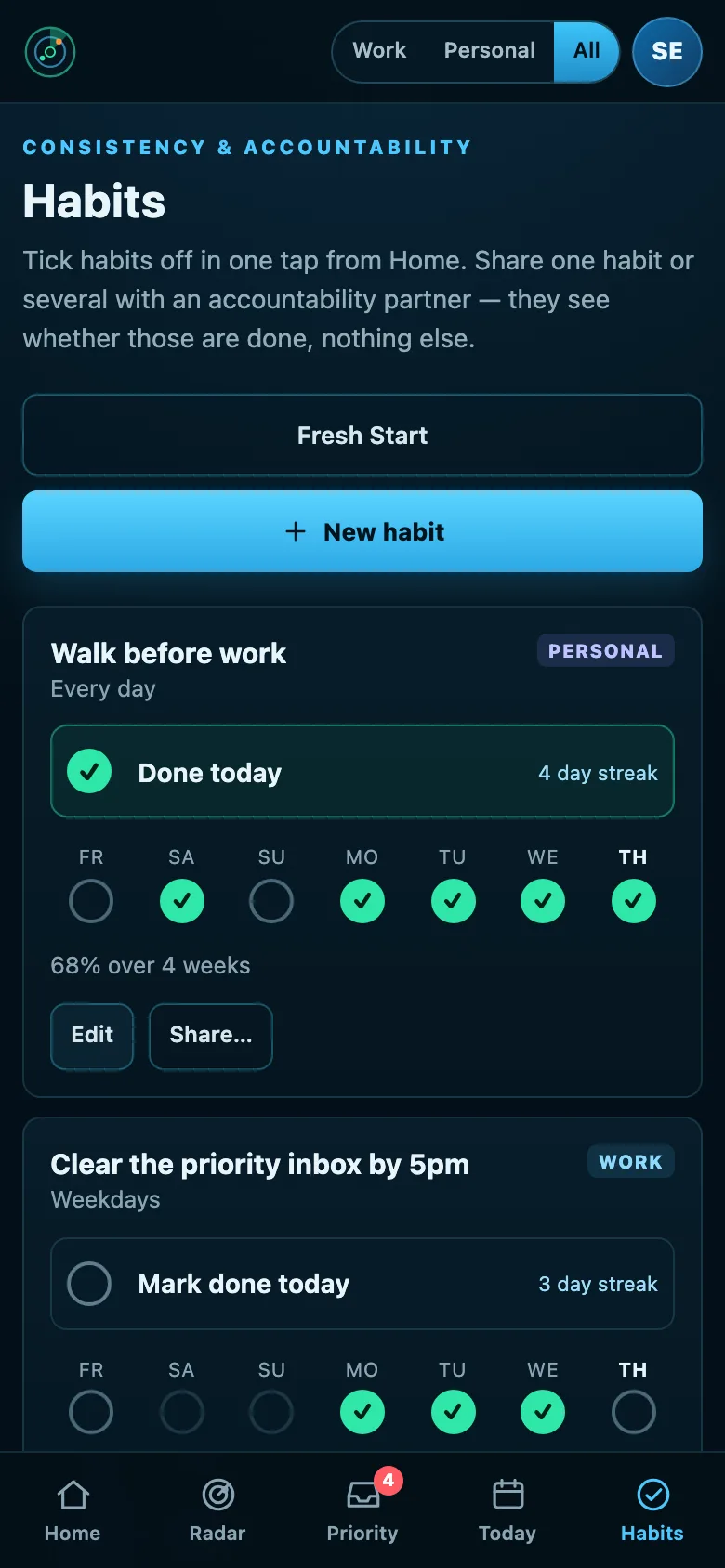
Tick a habit in one tap, or count it up through the day: eight glasses of water, tablets three times. Share several in one invitation, and each person sees only the habits you shared.
Life admin
Renewals, appointments, returns and the dentist you keep meaning to book, in the same list as the rest of your week. Bin day too: which bin, which week, reminded the night before.
Repeats by itself
Any task can repeat. Only the next one is ever on your list, and ticking it puts the one after in place. Anything can have no reminder at all.
Supper is not a meeting
Your Plan to Eat meal plan shows on Today and never counts as busy time. Subscribe to the school’s or the club’s calendar feed and its dates arrive by themselves.
What you actually got done
Completed keeps 90 days of what you ticked off, wherever you ticked it. How I performed counts what you finished, what was on time, the focus time you used and the habits you kept. Counts, never a score.
Want the dates without an account? The UK life-admin year asks the same questions and gives you a calendar file and a PDF. Free, and nothing you type leaves your browser.
A Radar for whoever runs the house with you
Every paid seat comes with a free Home seat: a private Radar for home life, for your partner or whoever shares the load. It can never see your work, and you can’t see what they put in theirs.
Share one thing at a time
Share a single item, like the boiler service or the holiday booking, with up to five people at home. They see its title, its date and whether it’s done, and can tick it off. Nothing else crosses.
What a Home seat can connect
A personal Outlook.com, Hotmail or Live account; a personal Google account, for Gmail, Google Calendar and Google Tasks; a Plan to Eat meal plan; and any calendar published as a feed, including a work calendar where the employer allows it to be published. Work Microsoft 365 accounts, CRMs and accounting systems are for paid seats.
Nothing to connect?
A Home seat works with no connections at all: Life setup asks for the dates that come round each year. And if nobody in the house has a system Radar can read, the free UK life-admin year is the better fit: the same questions, a calendar file and a PDF, no account.
What you can connect for home, today
Personal Outlook.com mail, calendar and To Do (the same connection as work Microsoft 365, made with your own account), Gmail, Google Calendar and Google Tasks, any calendar you can publish as a feed and a meal plan from Plan to Eat have each been read from a real account and checked against it. You don’t need a CRM or any work system to use Radar.
Put all of it on your Radar.
Open to anyone. £10 a month at the founding price until 31 March 2027, locked for 24 months, and your money back within 14 days if it isn’t for you.