The deal that went quiet is the one that costs you.
Radar plots your open pipeline by close date and value, flags the ones drifting, and puts the customers waiting on a reply at the top of your day.
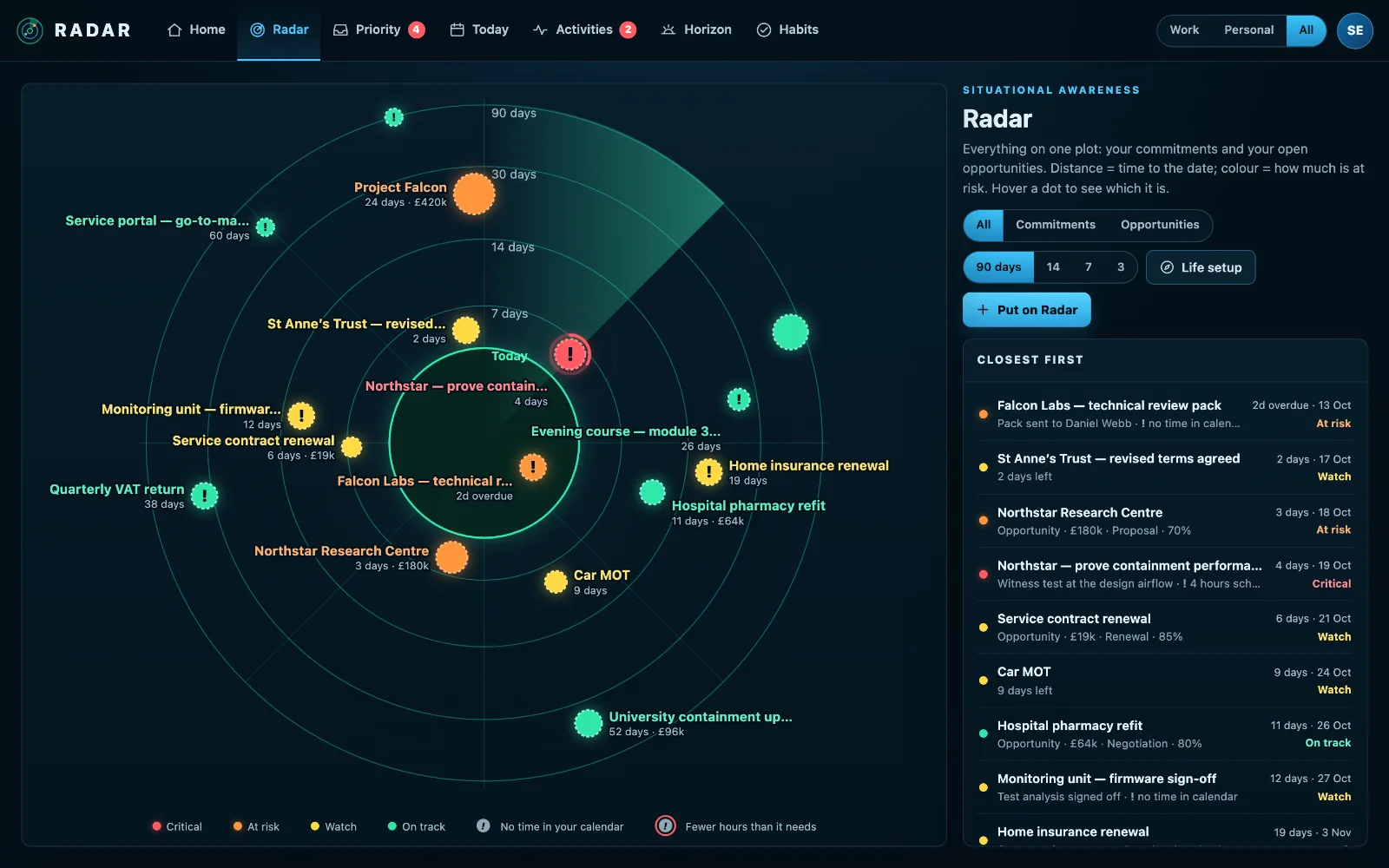
Filmed in the sample radar you can open yourself. Sam Ellis and Meridian Systems are invented; what the film does, the product does.
Opportunity Radar
Every open deal you own, from Pipedrive, and in beta from Salesforce, Zoho or a custom connection, on one radar. Give a deal the hours it needs and Radar checks your calendar for them. Stalled deals and deals with no next step surface before the close date does.
Priority Inbox
Radar matches senders to CRM contacts and live opportunities and scores each email: deal value, close date, stage, how long they have waited, whether they are a decision maker, explicit urgency. Flag it in Outlook or star it in Gmail and it stays a priority until you clear the flag; mail filed in “To Action” is yours to act on. Eight replies are one row, and promotions are ignored.
Response workbench
Open the email and you get the thread, the deal, recent CRM notes and relevant company knowledge in one place. Draft a reply, or write it yourself with your mailbox’s signature and logo, and archive it when it’s handled.
Done, with a note, and the next one booked
Tick a Pipedrive or Odoo activity off with what happened, and book the next one, for you or a colleague, in the same step. The note is written to the CRM with your words first (writing back is in beta).
Add an activity from Home
Quick add puts a new activity straight into Pipedrive, Microsoft To Do or Radar, from the screen you open every morning.
Deals on the same radar as everything else
Show deals on their own, or beside your commitments on one plot, so the proposal due Friday and the deal closing Monday are weighed together.
From “customer is waiting” to “follow-up booked” in one pass
1 · Radar tells you who is waiting
“Sarah Mills is waiting on a reply. Linked to a £180k deal closing in 3 days.” With the reasons behind each flag.
2 · You open the workbench
Email, thread, opportunity, CRM notes and matching passages from your own datasheets and price lists, all in one view.
3 · You reply, Radar helps
Press Draft a reply (with your own OpenAI key) for a draft grounded in that context, which lists anything it could not verify, or write it yourself. Your mailbox’s signature and logo go with it, and nothing is sent until you press Send.
4 · The next step gets booked
After you send, Radar proposes one follow-up activity with a working-day due date. Add it, edit it, or say no follow-up. It is recorded either way.
Radar never sends a customer email by itself, never creates a CRM action without your confirmation, and never quotes a price it cannot find in your own knowledge.
Your CRM stays your CRM
Radar does not want to be your pipeline. Deals, contacts and activities stay where your team already manages them; Radar reads them, ranks them and writes back only the actions you confirm.
Put your pipeline on your Radar.
Open to anyone. £10 a month at the founding price until 31 March 2027, locked for 24 months, and your money back within 14 days if it isn’t for you.