Connect once. See everything. Act where it counts.
Radar has its own login and its own small set of data. Everything else it reads from the systems you already pay for, in the background, whether or not the app is open.
Filmed in the sample radar you can open yourself. Sam Ellis and Meridian Systems are invented; what the film does, the product does.
Connect
Create a Radar account, then connect Microsoft 365, Gmail, Google Calendar, Pipedrive, Xero and the rest. We register Radar with Microsoft, Google, Pipedrive and Xero, so connecting is a sign-in. Add a second account beside the first: a work Microsoft 365 and a personal Outlook.com, or two Gmails.
Radar builds itself
Radar fetches your calendar, inbox, tasks, deals and activities, normalises them, and ranks them. Most people see their first radar within minutes, and Getting started walks you through the rest in three short stages.
Act
Reply to the customer who is waiting, mark an activity done in its own system, reserve calendar time for work with no runway, or put something new on your Radar.
Distance is time. Colour is risk.
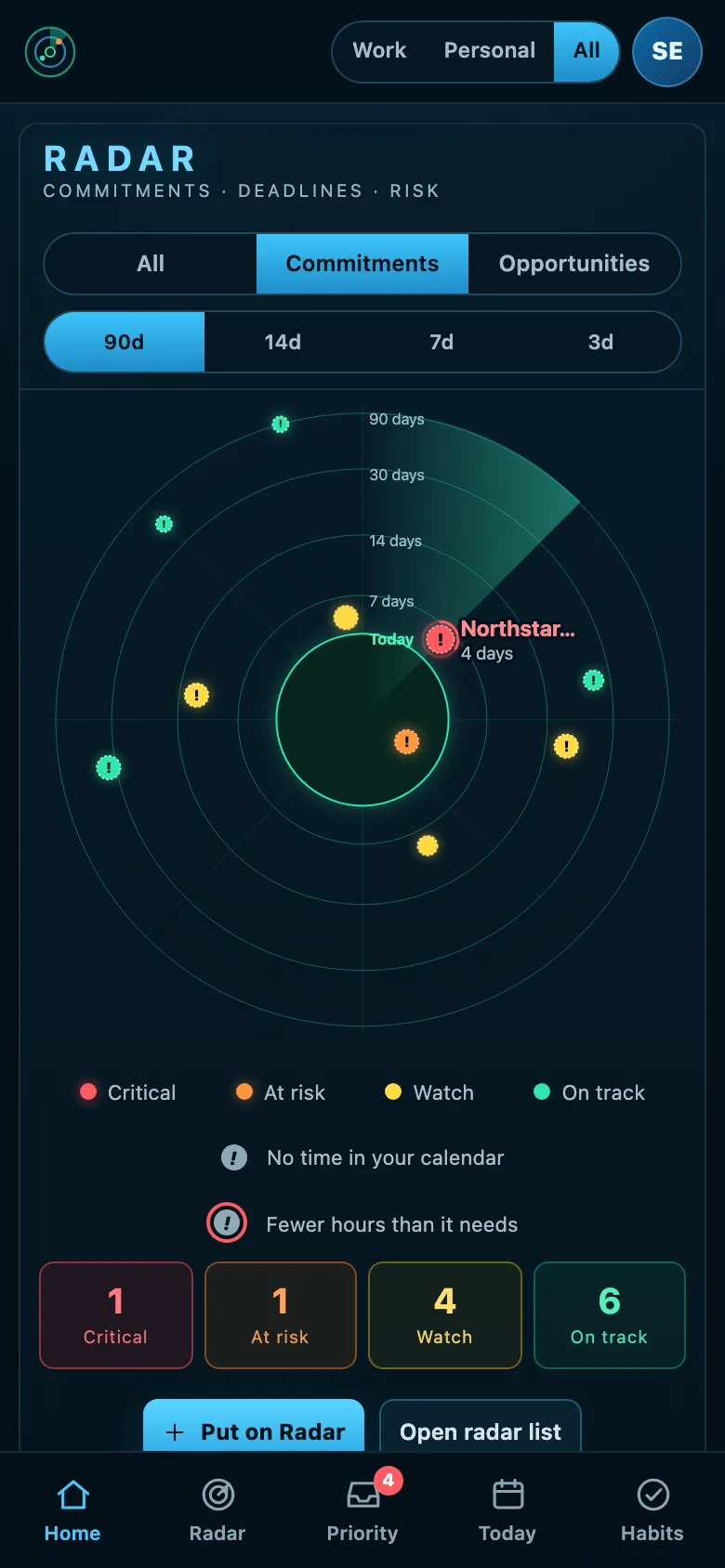
Rings read Today, 7, 14, 30 and 90 days. Zoom to 14, 7 or 3 days and the outer ring becomes that range, so a week on fire spreads out; overdue always shows. Press Critical or At risk to see only those. A blip moves inwards as its deadline approaches, but nothing turns red just because it is soon.
What raises risk on a commitment
- Time to the meaningful deadline, and overdue items above all
- Consequence if it slips, and your confidence in delivering
- How much is genuinely done, and how much is still unknown
- Blocked or waiting on someone else
- Calendar runway: free working hours before the deadline, and how many usable work windows are left
What raises risk on an opportunity
- Expected close date, and close dates that have already passed
- Silence: how long since any activity on the deal
- No next activity booked, or overdue activities
- Late stage with low probability and a close date within days
Open any blip and Radar shows the factors and the points each contributed, so you can disagree with it.
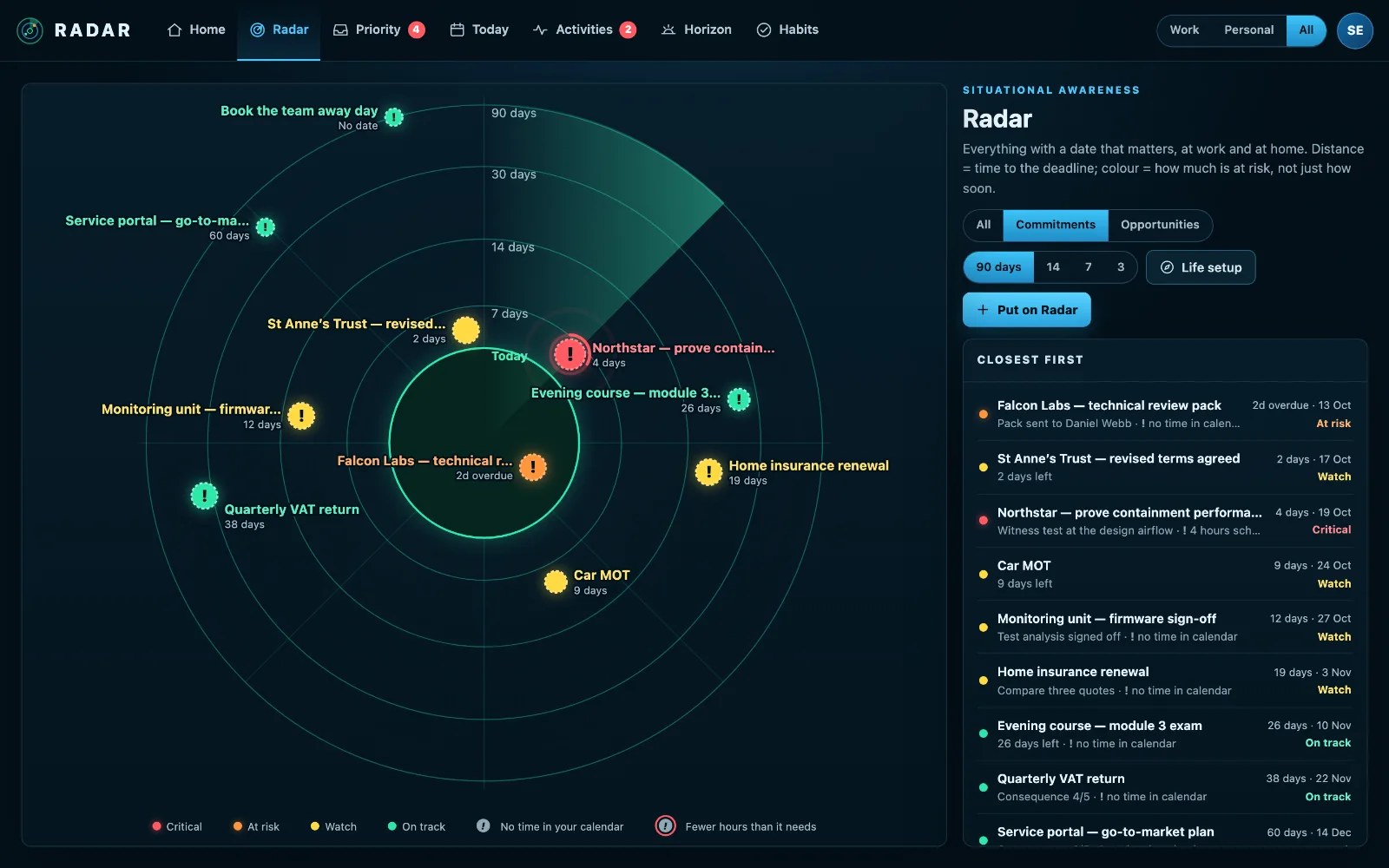
The same picture, one column wide
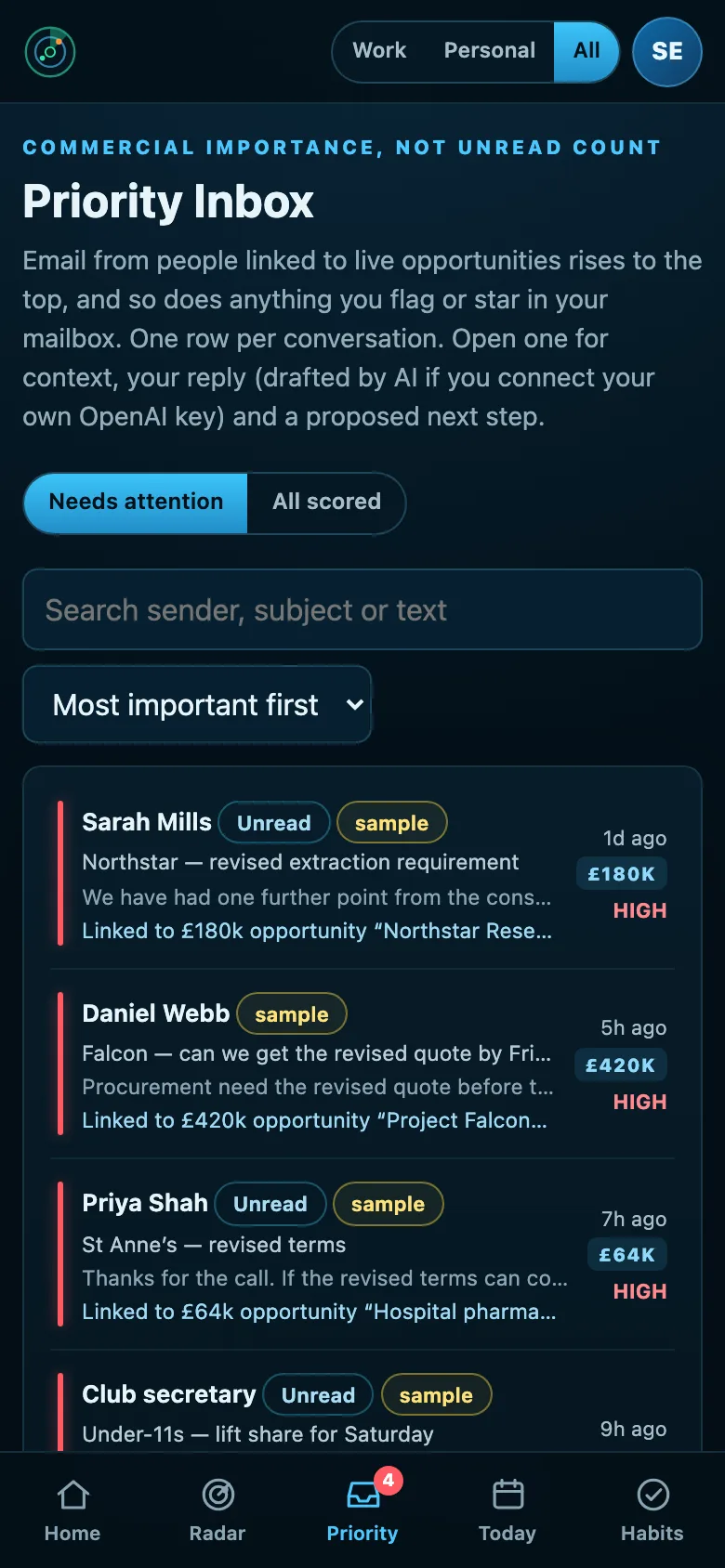
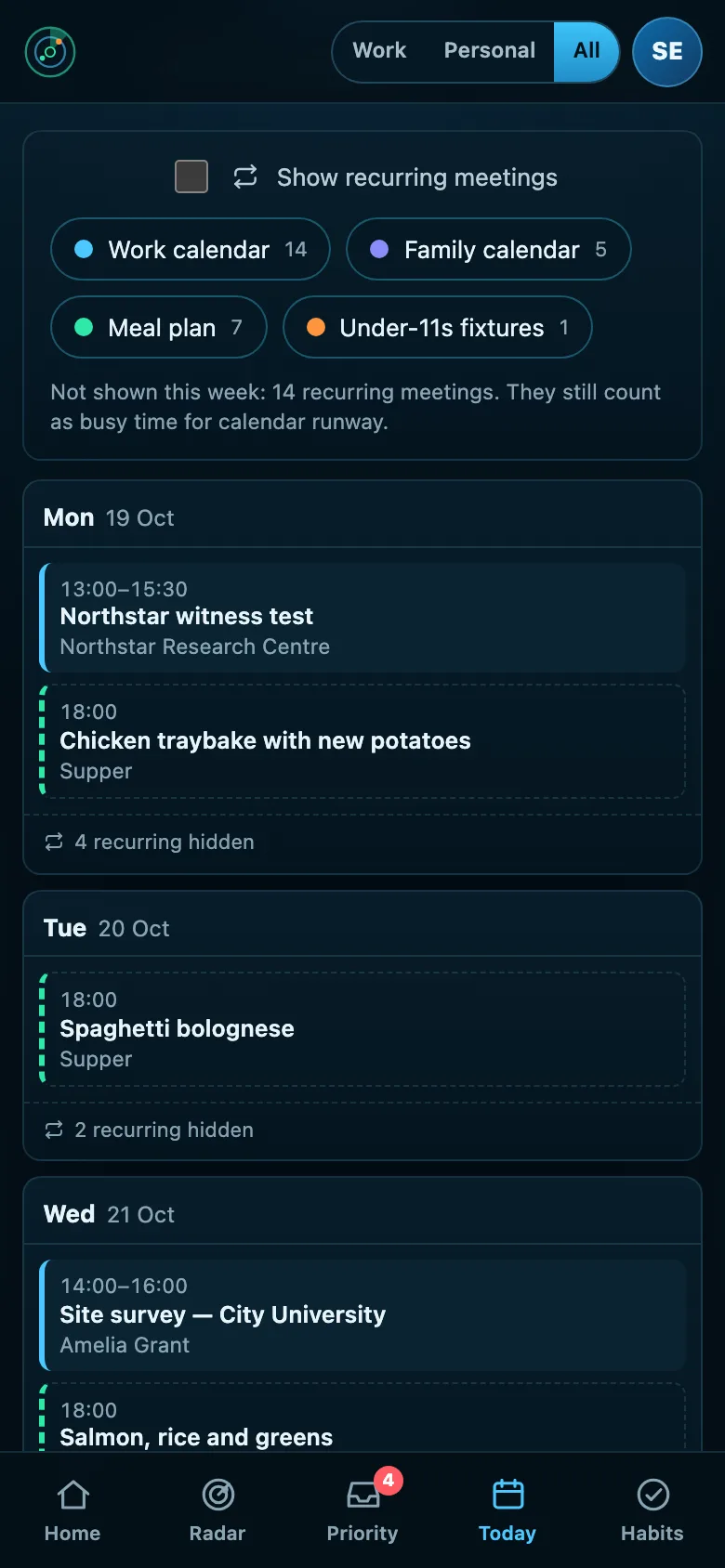
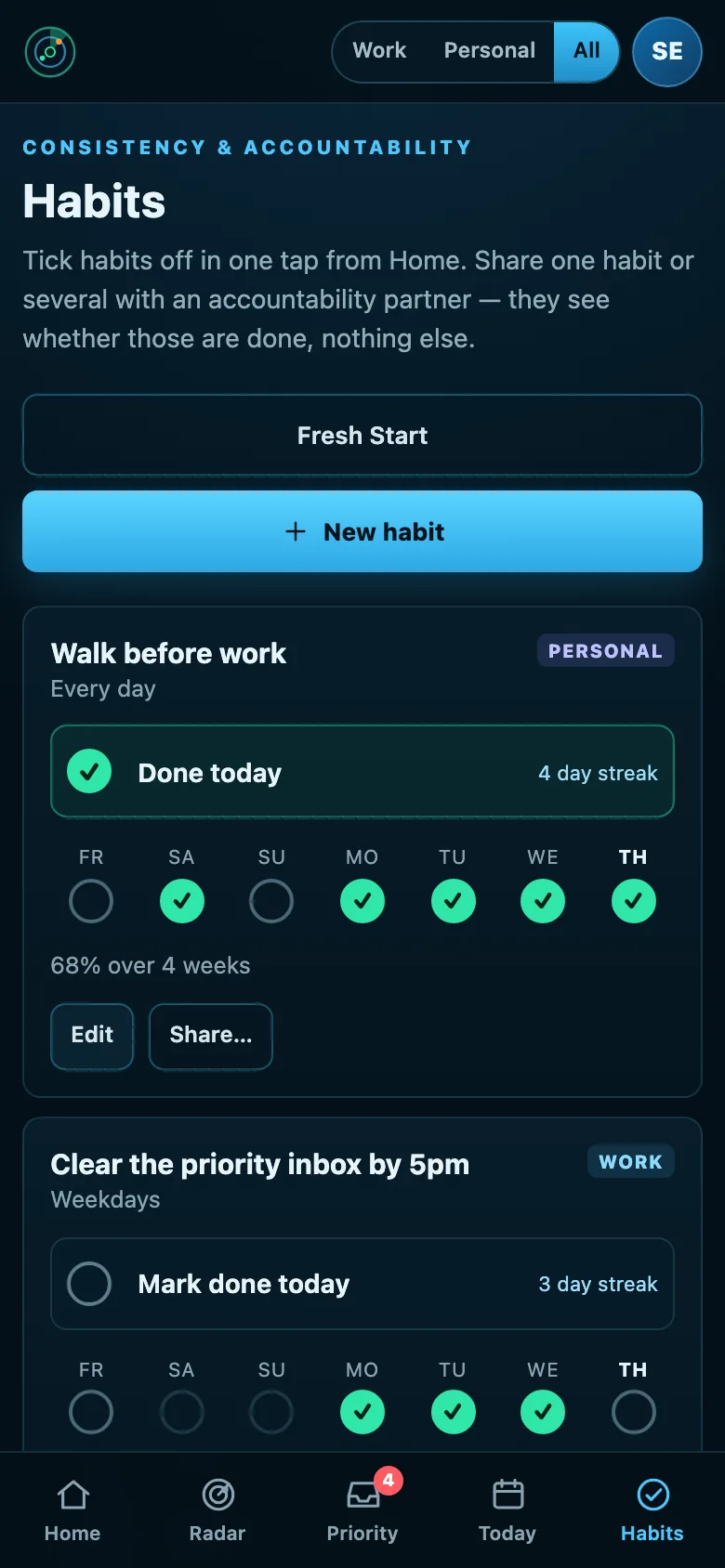
Everything on this page works on a phone, in the browser. The radar comes first, then the email that needs you, your week and your habits, one under another. Add Radar to your home screen and it opens like an app.
“11 days left, 3.5 hours free”
A deadline you cannot physically reach is not on track. Give a Radar item an effort estimate and it compares that with the free working time actually left in your calendar before the deadline.
Sufficient, Just enough or Insufficient
Radar checks whether the work left fits the free time before its deadline, and when it doesn’t, says how many hours are missing and by when. Choose times on a week-to-a-page grid or press Reserve all, as one sitting or sessions of up to two hours, and Radar books them in Outlook or Microsoft 365. What calendar runway is.
Suggested, never automatic
Radar can propose focus blocks in your real gaps. It only writes them to your calendar if you choose to reserve them.
One switch for your whole picture
Radar is built for the place where work and home overlap, so both are on by default. Work / Personal / All is global. It filters the radar, the calendar, activities, tasks, priority inbox, goals, habits and notifications at once. Items from connected systems are categorised automatically; anything you add yourself asks once.
See it on your own week
Open to anyone. £10 a month at the founding price until 31 March 2027, locked for 24 months, and your money back within 14 days if it isn’t for you.