Work-life balance starts with seeing both weeks at once
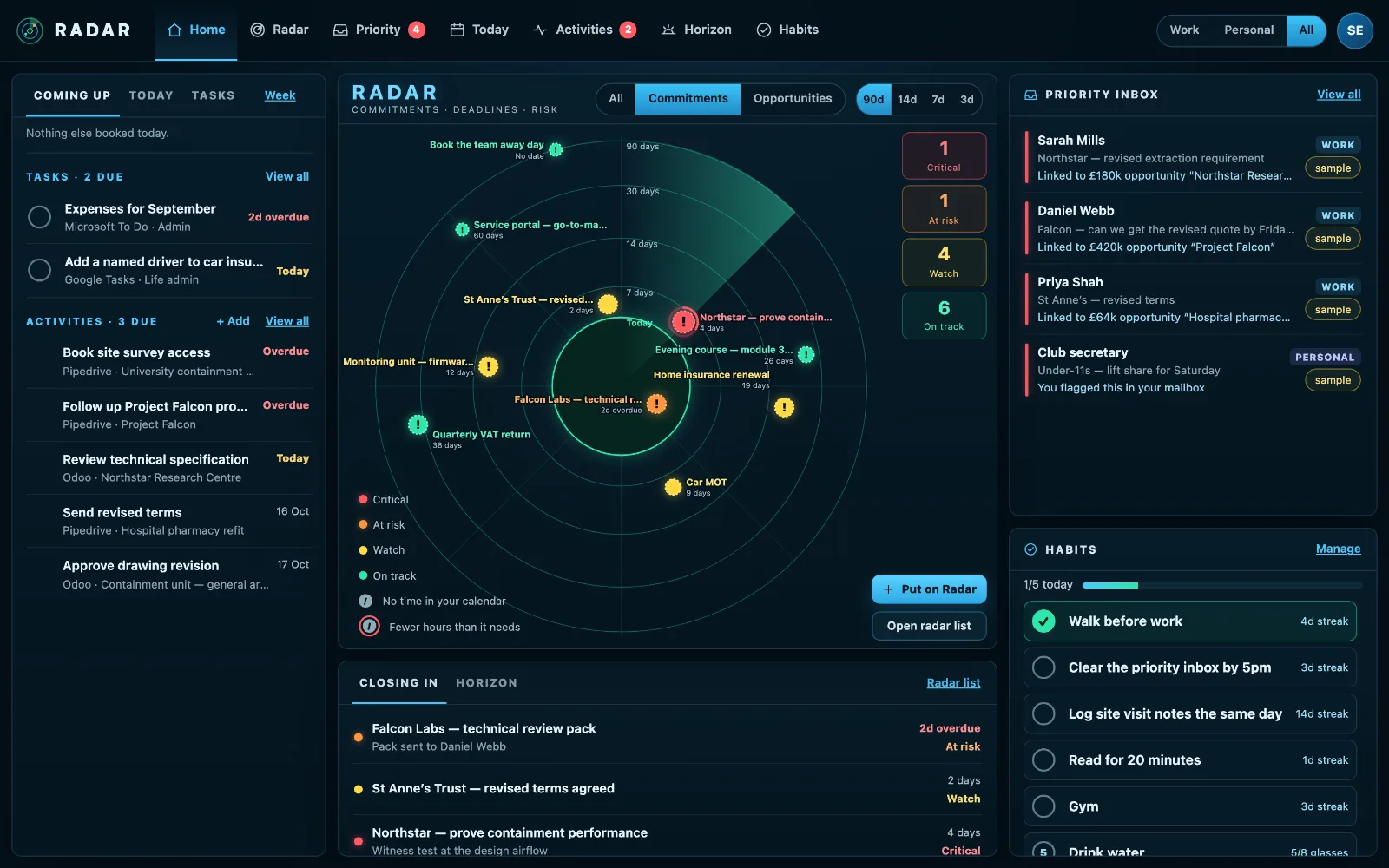
Radar helps with work-life balance in a practical way: your work deadlines and home dates on one radar, so a busy week at work doesn’t quietly cost you at home, and one switch to show only work, or only home.
£10 a month at the founding price until 31 March 2027, locked for 24 months. Your money back within 14 days if it isn’t for you.
Work and home compete for the same week
The proposal is due the week of the school play. The insurance renews the week the client visits. When work and home live in separate places, you only find the clash when one of them loses.
Balance isn’t about doing less of either. It is seeing both early enough to choose.
Both lives, one screen
Together by default
Work and Personal on one radar, one calendar and one list, each item labelled where it came from.
Separate when you need it
One switch shows only Work when you need to focus, or only Personal on a Saturday morning, when work can wait until Monday.
The calendar is always whole
Your calendar always shows both: a doctor’s appointment at eleven is in the way of work whichever view you are in.
A look back, never a score
How I performed counts what you finished, what was on time, the focus time you used and the habits you kept. Counts, never a productivity score.
Habits that hold
A walk before work, reading at night: tick them in one tap, with a partner if it helps.
A Home seat for your partner
A free, private Radar for home life with every paid seat, that can never see your work.
How to stop work and home competing for the same week
Work-life balance is mostly decided weeks in advance, when meetings are accepted and deadlines agreed. Seeing both lives together is what makes those decisions good.
- Keep work and home dates where you can see them together, even if you keep the calendars separate.
- Before accepting a deadline, check the week it lands in at home as well as at work.
- Protect the evenings and weekends that matter by putting them in, like any other appointment.
- When you need to focus, hide one side for a while rather than mixing the two all day.
- Look back each week at what you finished, not at what you didn’t.
Radar shows both on one radar and one calendar, has one switch for Work, Personal or both, and counts what you got done without ever turning it into a score.
Three steps
Connect both calendars
Work and personal, side by side.
Answer Life setup
The home dates no calendar holds.
Choose with both in view
Spot the clash weeks before it happens.
What it connects to
| Connection | What Radar uses | Status |
|---|---|---|
| Microsoft 365 and Outlook.com | Outlook calendar | Verified 29 Sep 2026 |
| Google Calendar and Tasks | Google Calendar | Verified 20 Sep 2026 |
| Calendar feed (ICS) | A subscribed calendar | Verified 23 Sep 2026 |
Verified means read from a real account on that date; beta means built and tested, and labelled until it has been. Every connection →
Questions
Can my employer see my personal life?
No. Your Radar is private: colleagues in your workspace, the owner included, never see it.
Does it work without a work account?
Yes. Radar works with personal accounts only, and Life setup works with no connections at all.
Is this a productivity app?
It is an early-warning radar for the next ninety days, at work and at home. It shows what is coming in time to decide, rather than measuring you.
Related
See both weeks before they collide.
Work and home on one radar, with a switch for when you need just one.