Combine work and personal calendars, without copying anything
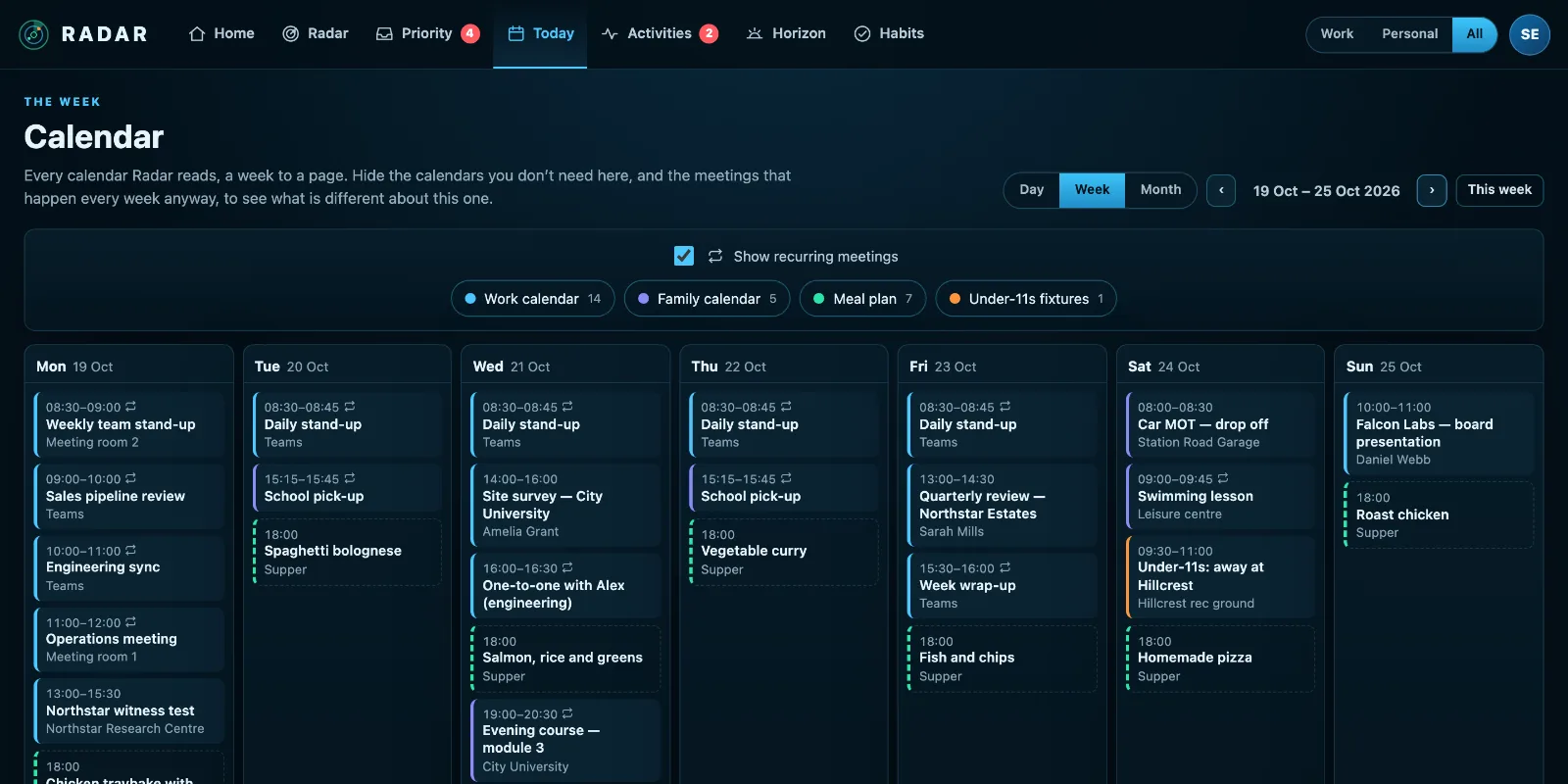
Radar lets you combine work and personal calendars in one view: your Microsoft 365 diary, a personal Outlook.com or Google Calendar, the school’s calendar feed and your meal plan, together by the day, week or month.
£10 a month at the founding price until 31 March 2027, locked for 24 months. Your money back within 14 days if it isn’t for you.
Two calendars means finding the clash too late
The work calendar says Thursday afternoon is free. The family calendar says it is the school play. Neither knows about the other, and copying events across by hand lasts about a week.
Work and home don’t happen in separate weeks, so they shouldn’t live in separate calendars you have to remember to check.
Every calendar, one week
Every account side by side
A work Microsoft 365, a personal Outlook.com, two Google accounts, any published calendar feed and a Plan to Eat meal plan, each labelled Work or Personal.
Always both
Whatever the Work and Personal switch says elsewhere, the calendar shows both: a doctor’s appointment at eleven is in the way of work either way.
Hide the routine
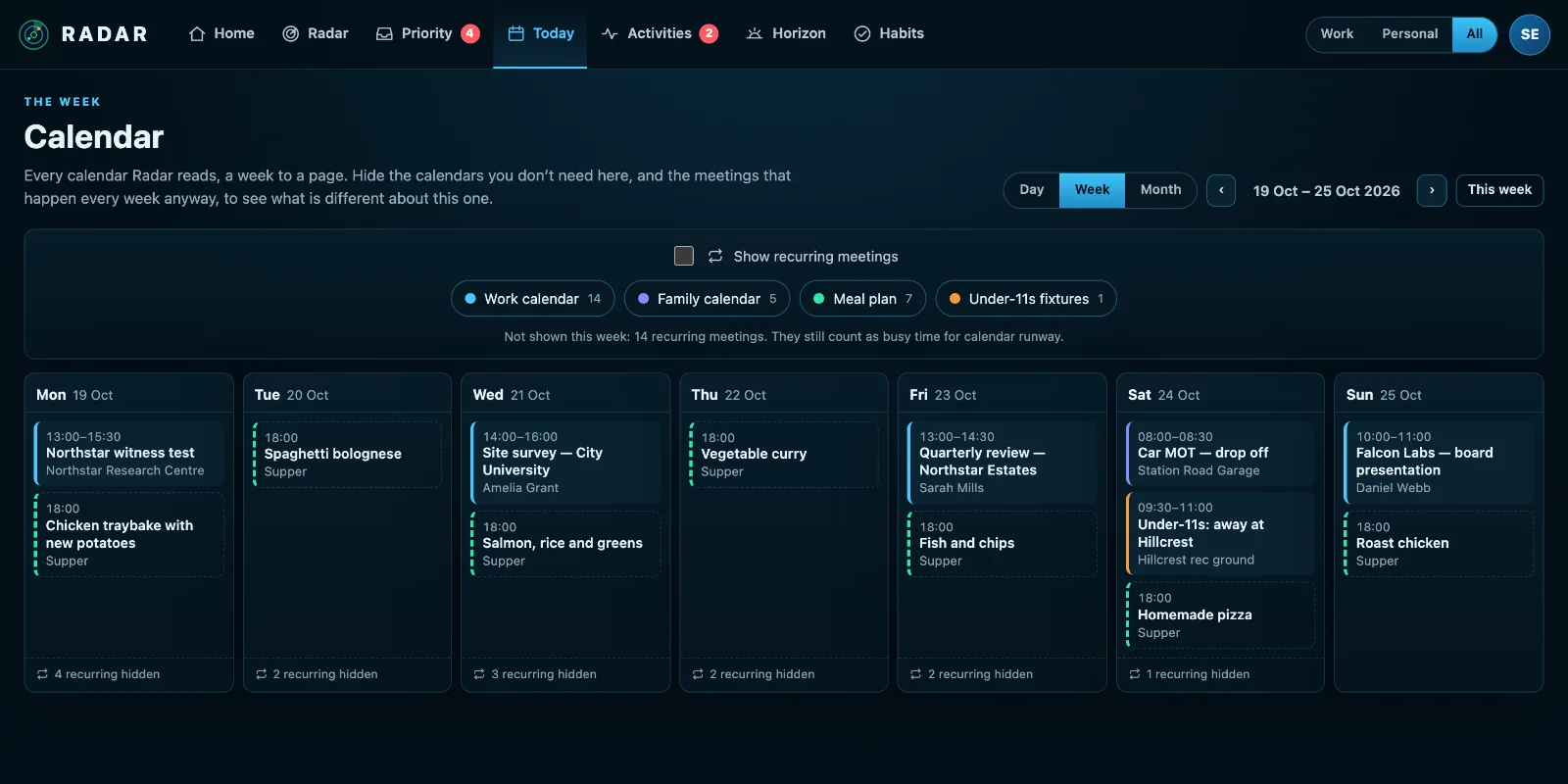
Hide the meetings that repeat every week and what is left is what is different. The week says how many it left out, each day.
Counts for your time
Every calendar counts as busy time when Radar works out whether you have room for a deadline. Meals never do.
How to combine work and personal calendars
There are three common ways to combine a work calendar and a personal one, and each has a catch.
- Sharing your personal calendar into Outlook shows it at work, but only where your employer allows it, and only in Outlook.
- Copying events by hand works for a week, then the copies go out of date.
- Subscribing to a published calendar feed is read-only and refreshes slowly, but needs no permission from anyone.
Radar takes a fourth way: it reads each calendar with your own sign-in and shows them together, without copying or sharing anything. Your work Microsoft 365, a personal Outlook.com or Google account and any published feed sit in one day, week or month view. Nothing is written to either calendar, so your employer sees nothing new, and nothing goes out of date.
Whichever way you choose, label each calendar Work or Personal, and hide the meetings that repeat every week: what is left is what needs thought.
Three steps
Connect each calendar
Microsoft, Google, or paste a calendar feed’s address. Each is a minute.
Label it once
Work or Personal, per connection.
See the week
Day, week or month, every calendar together, the routine hidden if you like.
What it connects to
| Connection | What Radar uses | Status |
|---|---|---|
| Microsoft 365 and Outlook.com | Outlook calendar | Verified 29 Sep 2026 |
| Google Calendar and Tasks | Google Calendar | Verified 20 Sep 2026 |
| Calendar feed (ICS) | A subscribed calendar | Verified 23 Sep 2026 |
| Meal plan | Planned meals | Verified 8 Oct 2026 |
Verified means read from a real account on that date; beta means built and tested, and labelled until it has been. Every connection →
Questions
Does Radar copy events between my calendars?
No. It reads each calendar and shows them together. Nothing is copied, so nothing goes out of date.
Can my employer see my personal calendar?
No. Your Radar is yours alone; colleagues in the same workspace never see it.
Which calendars can I add?
Outlook and Microsoft 365, Outlook.com, Google Calendar, and any calendar published as an iCal feed, such as a school’s or a club’s.
Related
Put both calendars on one screen.
Connect your work and personal calendars and see the clash before you accept the meeting.