Sales follow-up reminders that see the whole deal
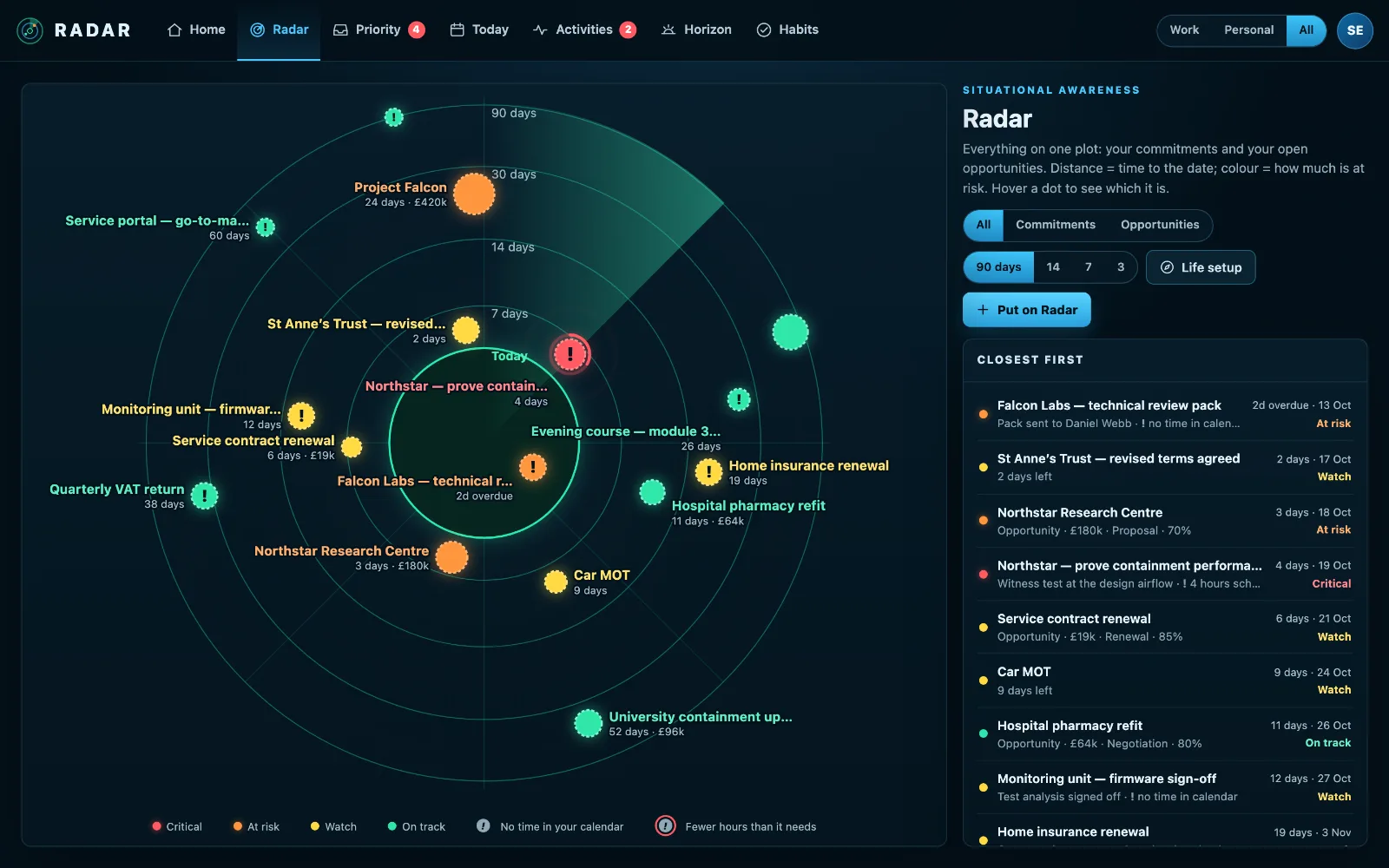
Radar turns sales follow-up reminders into one picture: open deals by close date and value, the ones going quiet or with no next step, and the customers waiting on a reply, beside the rest of your week.
£10 a month at the founding price until 31 March 2027, locked for 24 months. Your money back within 14 days if it isn’t for you.
The deal that went quiet is the one that costs you
A CRM reminds you of the activities you remembered to create. It says nothing about the deal with no next step, the customer who replied on Tuesday and is still waiting, or the week of meetings that leaves no time to write the proposal.
Follow-ups slip in the gaps between the CRM, the inbox and the calendar.
Every deal, every reply, every next step
Deals on a radar
Open deals plotted by close date, sized by value and coloured by risk: stalled deals, deals with no next step and overdue activities stand out before the close date does.
Customers waiting
The Priority Inbox matches senders to their deals, so “Sarah is waiting on a reply about a deal closing in three days” is at the top of your day.
Done, with a note, and the next one booked
Tick an activity off with what happened, and book the next one for you or a colleague in the same step. Writing back to the CRM is in beta.
Time for the proposal
Give a deal the hours it needs and Radar checks your calendar for them, so the proposal is not written at midnight.
Your words in the CRM
What you type goes to the CRM first, with one quiet line saying it came from Radar. An existing note is added to, never replaced.
How to follow up on every deal without a spreadsheet
Follow-ups slip in the gaps between systems: the CRM holds the deal, the inbox holds the reply, and the calendar holds the week that leaves no time to write back.
- Give every open deal a next step with a date. A deal with no next step is the one that goes quiet.
- Answer customers who are waiting before you start anything new.
- When you finish an activity, book the next one there and then, while you remember what was said.
- Write what happened in your own words, so the next person, or the next you, knows where it stands.
- Review the deals closing in the next fortnight every Monday.
Radar shows deals with no next step and customers waiting on a reply on one screen, and books the next activity in the same press as finishing the last.
Three steps
Connect your CRM
Pipedrive by sign-in or token. A CRM is optional: Radar works from your inbox and calendar too.
Connect your mailbox
So the customers waiting on a reply are matched to their deals.
Work the radar
Reply to who is waiting, book the next step, and watch the quiet deals come back to life.
What it connects to
| Connection | What Radar uses | Status |
|---|---|---|
| Pipedrive | Open deals | Verified 29 Sep 2026 |
| Pipedrive | Activities assigned to you | Verified 17 Sep 2026 |
| Pipedrive | Create a follow-up activity, mark one done | Beta |
| Odoo | Activities assigned to you | Verified 17 Sep 2026 |
| Microsoft 365 and Outlook.com | Outlook mail | Verified 29 Sep 2026 |
| Gmail | Gmail | Verified 20 Sep 2026 |
Verified means read from a real account on that date; beta means built and tested, and labelled until it has been. Every connection →
Questions
Which CRMs does it work with?
Pipedrive deals and activities have been read from a real account. Odoo activities have too, on Odoo Custom, Odoo.sh and on-premise. Others are in beta and labelled so on the integrations page.
Will it change my deals?
No. Deals, contacts and activities stay in your CRM. Radar writes back only what you confirm, like an activity marked done with your note.
Do I need a CRM to use it?
No. Without one, Radar still shows the customers waiting on a reply from your inbox and the deadlines in your calendar.
Related
Put your pipeline on your Radar.
Connect Pipedrive and your mailbox, and see which deals and customers need you this week.