Microsoft To Do and Planner in one view, beside your calendar
Radar brings Microsoft To Do and Planner together: your To Do lists and the Planner tasks assigned to you, in one view with your Outlook calendar and deadlines, the most pressing first.
£10 a month at the founding price until 31 March 2027, locked for 24 months. Your money back within 14 days if it isn’t for you.
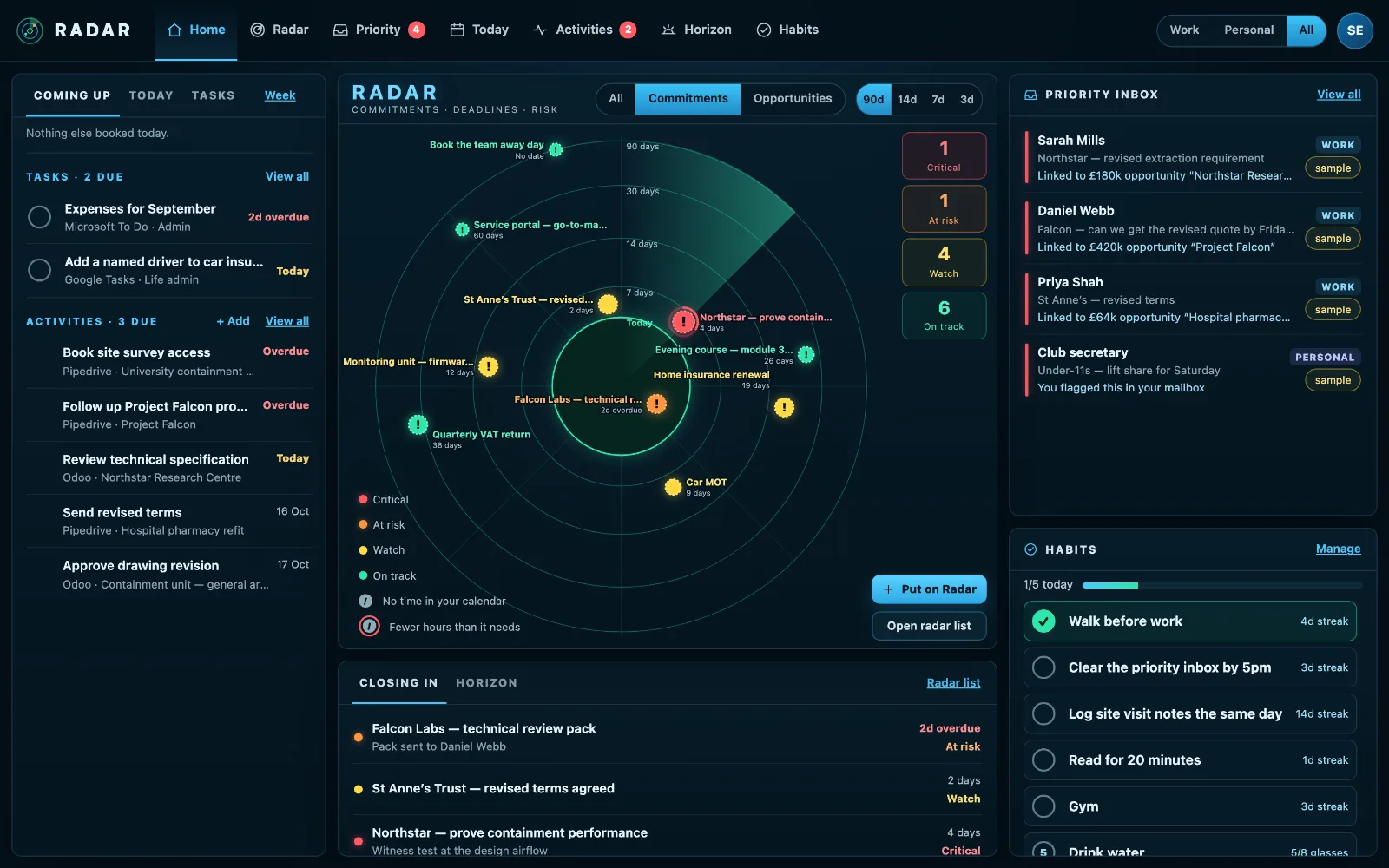
Two task apps, one calendar, and nothing joining them up
To Do holds your own tasks. Planner holds the team’s. Outlook holds the week. Each one is fine on its own, and none of them says that the Planner task due Thursday lands in a week with no free afternoon.
So you check three places, and still find out on Wednesday.
Every task, in the order it matters
One list, both apps
Every To Do list and every Planner task assigned to you, with how long each runs, on one page, tagged with where it came from and filtered by app.
Opens where it lives
A Planner task opens that task in Planner, not the whole plan. A To Do task opens To Do.
Tick it in Radar
Mark a To Do or Planner task done, rename it or move its date from Radar, and the change is written to Microsoft first. Writing back is in beta.
On the radar when it matters
Put a task on your Radar with the hours it needs, and Radar checks your Outlook calendar for them.
How to manage To Do and Planner tasks together
Microsoft To Do and Planner were built for different jobs: To Do for your own tasks, Planner for a team’s plans. Most people end up using both, and checking each separately.
- Keep your own work in To Do and team work in Planner, rather than copying tasks from one to the other.
- Give every task that matters a due date. Undated tasks are the ones that drift.
- Look at both together each morning, in date order, so a Planner task due tomorrow isn’t hidden behind ten To Do tasks.
- For anything that needs real time, check your calendar has the hours before the due date, and book them.
- Tick tasks off where you see them, and let the change flow back.
Radar puts both lists in one view beside your Outlook calendar, opens each task where it lives, and writes your changes back to Microsoft.
Three steps
Sign in with Microsoft
Work Microsoft 365, or a personal Outlook.com for To Do.
See it together
To Do, Planner and your calendar on one screen, today first.
Act from one place
Tick, rename or reschedule, and the change goes back to Microsoft.
What it connects to
| Connection | What Radar uses | Status |
|---|---|---|
| Microsoft 365 and Outlook.com | Microsoft To Do | Verified 29 Sep 2026 |
| Microsoft 365 and Outlook.com | Microsoft Planner | Verified 29 Sep 2026 |
| Microsoft 365 and Outlook.com | Create a task, rename or reschedule one, mark a task or Planner task complete | Beta |
| Microsoft 365 and Outlook.com | Outlook calendar | Verified 29 Sep 2026 |
Verified means read from a real account on that date; beta means built and tested, and labelled until it has been. Every connection →
Questions
Does Planner work with a personal account?
Planner is a work-account feature, so it is offered with Microsoft 365. To Do works with both.
Can I add a task from Radar?
Yes. Quick add can put a new task straight into Microsoft To Do, or keep it in Radar.
Does it show other people’s Planner tasks?
No. Radar shows the Planner tasks assigned to you, and nobody else sees your Radar.
Does Radar work with the new Planner?
Yes. A Planner task opens in the new Planner on the web, at that task, with the plan around it. Graph gives no link to a single To Do task, so a To Do task opens To Do and the button says so.
Can I see To Do tasks on a calendar?
Every task with a due date sits on Radar’s Today and Tasks views beside your meetings, and any you put on your Radar with hours are measured against the free time in your Outlook calendar.
Related
One view for To Do, Planner and your week.
Sign in with Microsoft and see every task beside the time you have for it.