Time blocking in Outlook, worked out from your deadlines
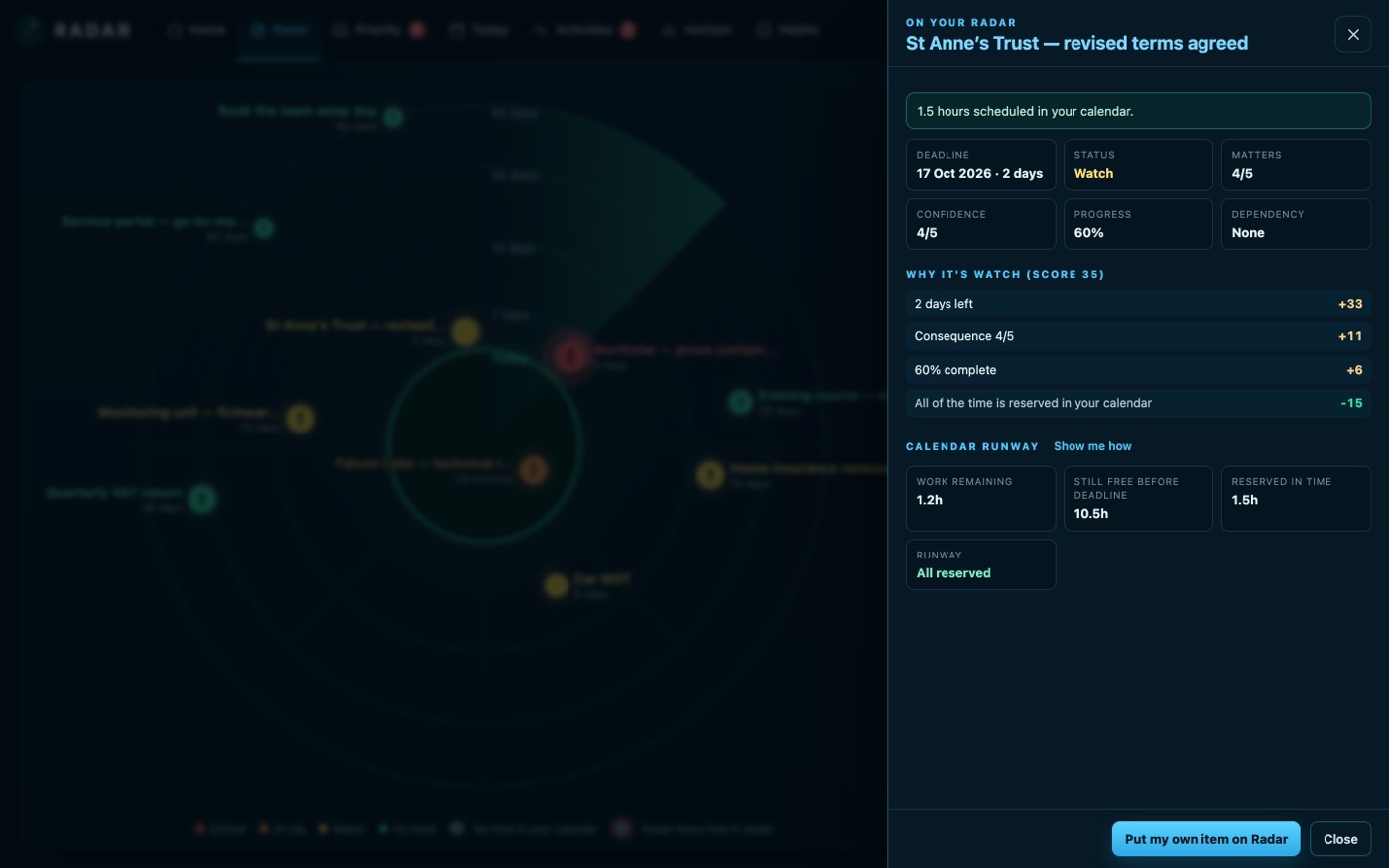
Radar does time blocking in Outlook for you: it finds the free hours before each deadline and books focus blocks in your Outlook or Microsoft 365 calendar when you press the button, then checks they are still there.
£10 a month at the founding price until 31 March 2027, locked for 24 months. Your money back within 14 days if it isn’t for you.
Blocking time is easy. Knowing how much, and where, is the hard part
Dragging a block into Outlook takes seconds. Working out how many hours a job really needs, where the free ones are before the date, and noticing when a meeting lands on top of the block a week later is what nobody does.
So the block gets moved, the work gets squeezed, and the deadline arrives with the hours still to find.
Focus time that follows the work
Suggested from your free time
Give a job its hours and Radar suggests blocks in the free time before the date, as one sitting or sessions of up to two hours. Half-hour gaps are offered when the longer ones run out.
Reserve all, or choose on a grid
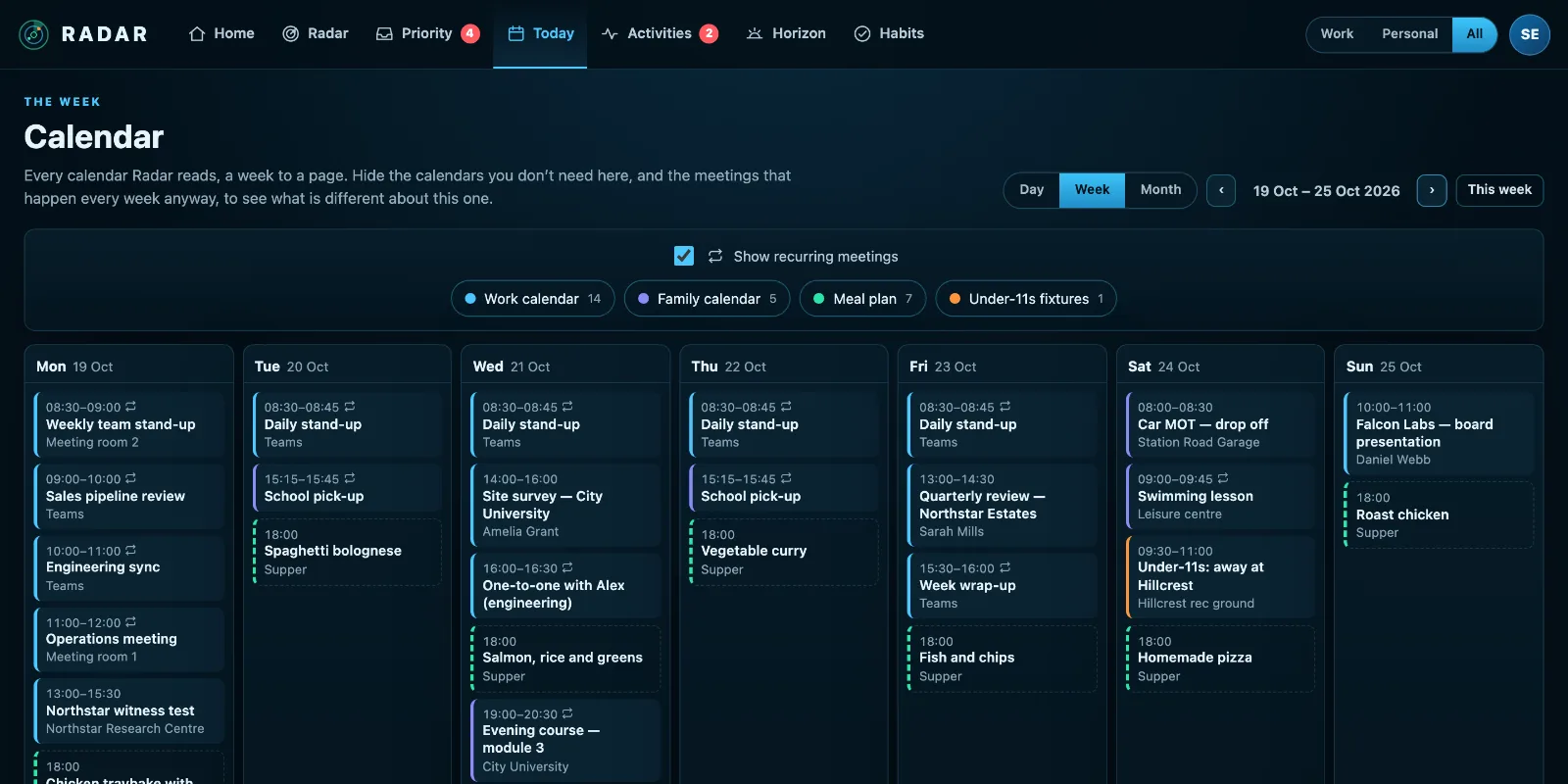
Take one suggestion, press Reserve all, or choose times yourself on a week-to-a-page grid with your booked time shaded. Neighbouring half hours become one block.
Booking over a meeting, on purpose
An all-day marker or a recurring lunch is often worked over. Radar names what a block overlaps and asks once, and leaves the other booking alone.
Read back, not trusted
Radar checks each block in your calendar. Moved past the deadline or deleted in Outlook, it stops counting and says why, so the job is flagged again.
Did you do it?
After a block’s time has gone, Radar asks. Done moves the job on; didn’t get to it leaves the hours to find again. Clearing a job gives back the time still booked for it.
A link back to the job
Every block Radar books carries a link to its job, so in a calendar full of blocks the block is the quickest way back to the work.
How to time block in Outlook without it falling apart
Time blocking works when the blocks are tied to real work and real deadlines, and fails when they are wishful rectangles that the next meeting request knocks over.
- Start from the deadline and the hours, not from an empty week: a job needing six hours by Friday needs six hours before Friday, wherever they are.
- Prefer sessions of up to two hours. Longer blocks are the first to be given away.
- Book them early in the window, so there is room to move one if something lands on it.
- Name each block after the job, so it is obvious what it is for when someone looks at your diary.
- Check the blocks are still there a few days later. A block moved past the deadline is no longer helping.
Radar works out the hours and the window, suggests the blocks, books them in Outlook when you press, and keeps checking them.
Three steps
Connect Outlook
Sign in with your Microsoft 365 or Outlook.com account. Radar is published by a Microsoft verified publisher.
Give a job its hours
Put it on your Radar with a date and how many hours it needs.
Press Reserve
Radar books the blocks in your Outlook calendar and keeps an eye on them.
What it connects to
| Connection | What Radar uses | Status |
|---|---|---|
| Microsoft 365 and Outlook.com | Outlook calendar | Verified 29 Sep 2026 |
| Microsoft 365 and Outlook.com | Reserve a focus block in your calendar | Verified 29 Sep 2026 |
| Microsoft 365 and Outlook.com | Remove a focus block Radar reserved | Beta |
Verified means read from a real account on that date; beta means built and tested, and labelled until it has been. Every connection →
Questions
Does Radar move my meetings?
No. Radar books only the focus blocks you ask for and never changes anyone else’s event. If you move or delete a block in Outlook, Radar notices and stops counting it.
Can I count a meeting that is part of the work?
Yes. A meeting already in your diary that is part of the job can be counted towards its hours. Radar never writes anything to that meeting.
Does it work with Google Calendar?
Radar reads Google Calendar to work out your free time. Booking focus blocks is done in Outlook and Microsoft 365 calendars.
What if I can’t fit the work in?
Radar says how many hours are missing and by when, so you can move the date, hand something off or clear some space while there is still time to.
Related
Let your deadlines book their own time.
Connect Outlook, give a job its hours, and press Reserve.